
Within the Session Planning view, you can review what students worked on previously and build a new lesson plan using Amplio’s curriculum components. Planning sessions in advance helps ensure instruction is aligned with student progress and intervention goals.
Accessing Session Planning
To begin planning a session:
- Navigate to the Calendar in Amplio.
- Locate the scheduled session you would like to prepare for.
- Click the session block on the calendar and select the pencil icon to edit the session.
- Select Session Planning from the session window.
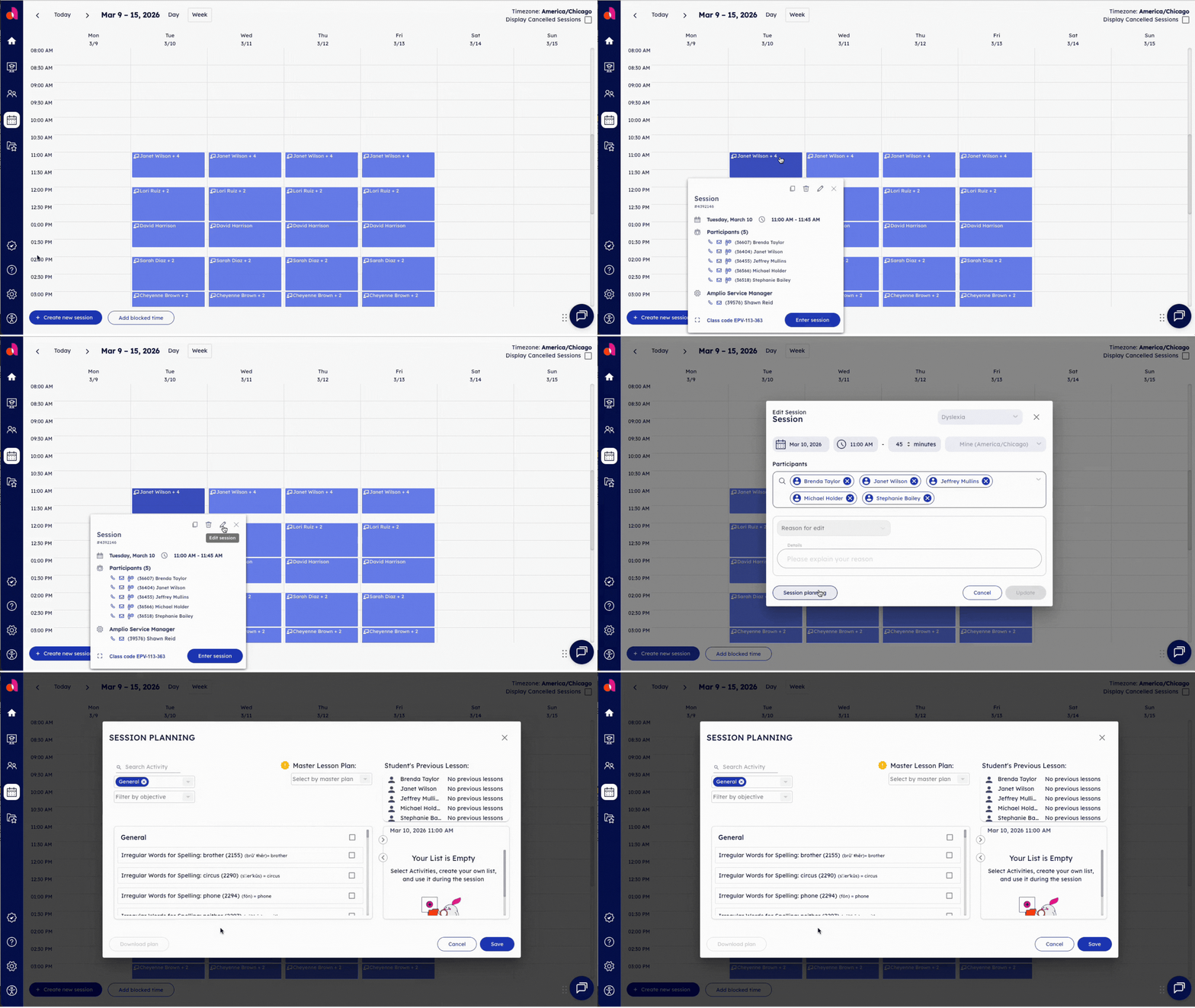
This opens the Session Planning workspace, where you can review prior learning and build the upcoming lesson.
Understanding the Session Planning Workspace
The Session Planning screen contains several key sections designed to support instructional continuity.
Student’s Previous Lesson
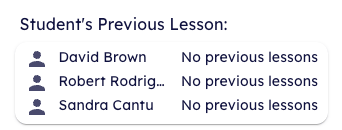
This panel displays the activities and lessons completed during the student’s last session. Reviewing this information helps you understand where the student left off and determine the next appropriate step in instruction.
Selecting Activities & Creating Your List
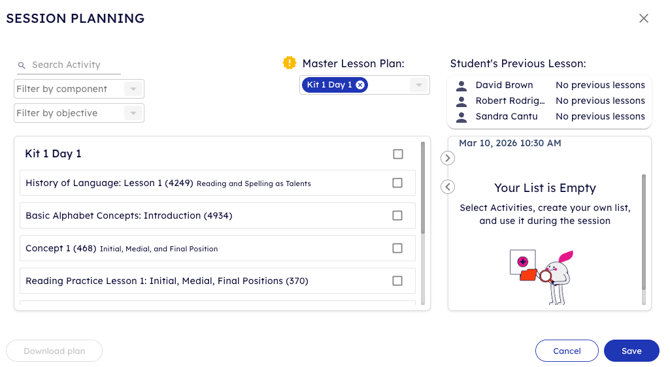
The curriculum library contains available instructional components you can add to the session, such as:
- Baseline Assessments
- New Learning activities
- Reading Practice
- Practice Pages
- Skill-specific lessons and activities
These materials align with Amplio’s structured literacy approach and can be used to build a customized lesson sequence.
You may search, filter, and sort materials by component or objective or by using the Master Lesson Plan.
Simply click the check box beside the activity name to add them to your list. As you add activities, they appear in the List section and form the instructional flow for the session.
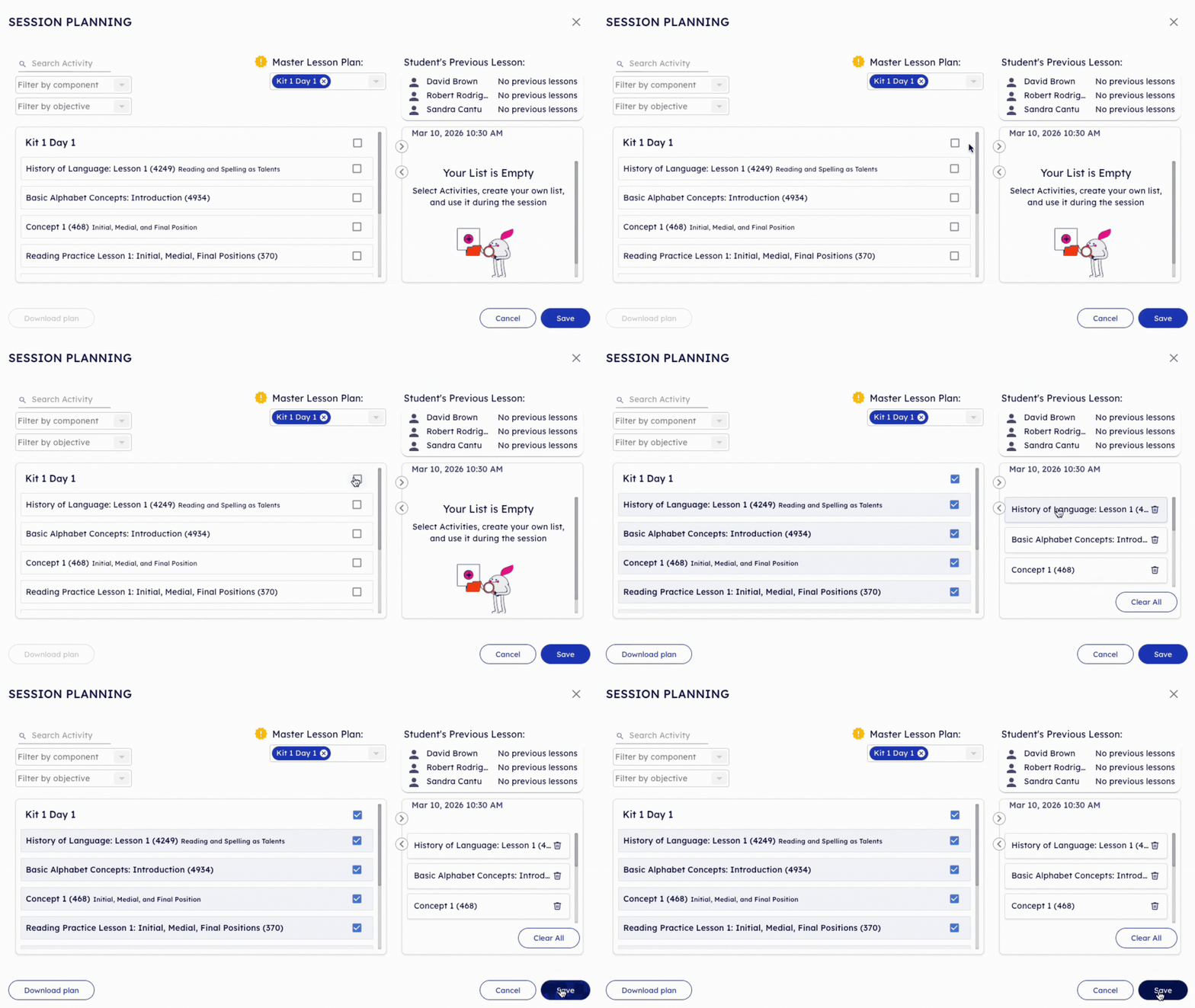
When you’re finished, make sure to Save.
Adjusting the Lesson Plan
You can modify the lesson plan at any time before the session begins:
- Add additional activities
- Remove activities that are not needed
- Adjust the sequence of the lesson
This flexibility allows you to tailor instruction to each student’s needs.
Best Practices for Session Planning
To make the most of the planning tools:
- Review previous lessons first to maintain instructional continuity.
- Balance review and new instruction in each session.
- Include practice opportunities to reinforce newly introduced skills.
- Plan sessions in advance so instruction runs smoothly during intervention time.
Next Steps
After planning the session, you can return to the calendar and begin the lesson when the scheduled session starts.
For additional guidance, visit other Help Center articles on: