
Amplio offers a variety of accessibility tools available to educators and students to make every experience as seamless as possible.
Our Accessibility Tools are designed to ensure that every user can navigate, understand, and interact with our platform effectively. These features support users with diverse needs by offering options such as adjustable text sizing, color contrast controls, keyboard navigation, screen reader compatibility, and other assistive enhancements. By prioritizing accessibility, we create a more inclusive experience, improve usability for all users, and help organizations meet accessibility standards and compliance requirements.
How do I disable Accessibility Tools?
If at any time you need to disable some or all of the Accessibility Tools, you can do so by clicking on the Accessibility Tools icon.
Sometimes Accessibility Tools are enabled accidentally and if they aren't needed, they can cause a distraction or block the user's screen in some way.

Once clicked, the Accessibility Tools window will open and you will be able to click the Turn Off button to disable all of the Accessibility Tools. Selecting this option will reload the current window.
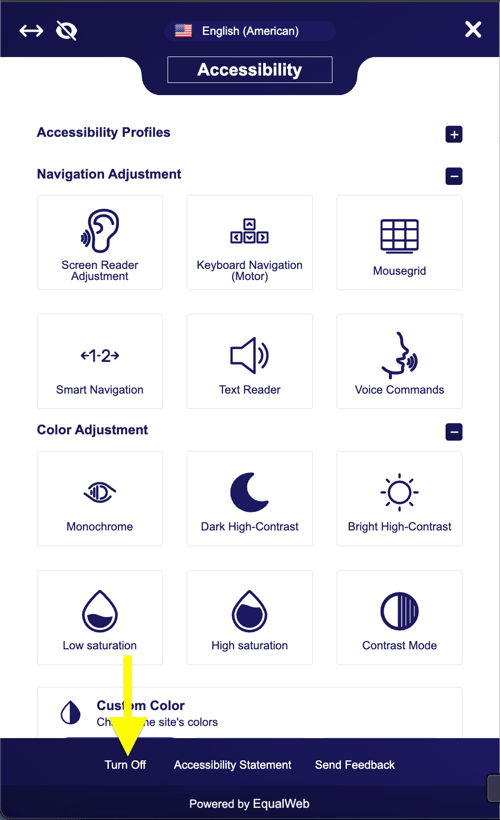
Individual Accessibility Tools can be disabled by clicking on the one you want and readjusting it back to its default setting.