
To access your Amplio Reading Intervention account, follow the steps below.
Step 1: Navigate to the Login Page
Go to the Amplio login page:
👉 https://school.ampliospeech.com/login
Step 2: Enter Your Login Credentials
- Enter your username and select Next.
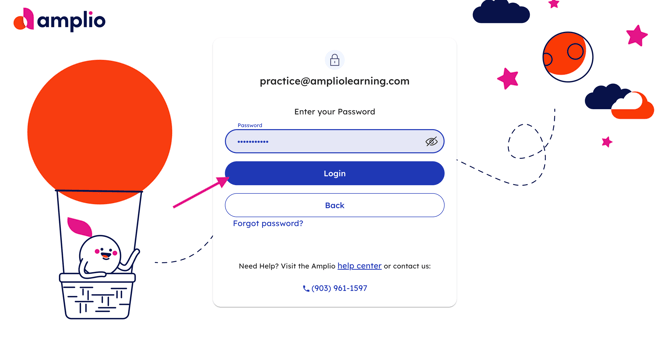
- Enter your password and select Login.
Step 3: Complete Two-Factor Authentication (2FA)
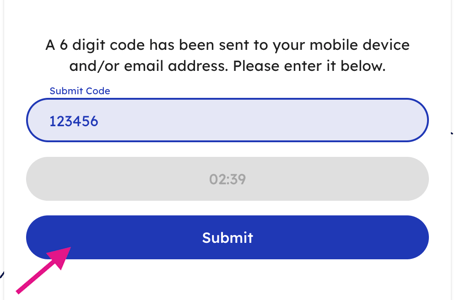
After entering your username and password, Amplio will send a 6-digit verification code to your phone and/or email.
- Check your phone or email for the code.
- Enter the 6-digit code on the verification screen.
- Click Submit to complete the login process.
Need Help Receiving Your Verification Code?
To receive the verification code by text message, your phone number must be associated with your Amplio Educator account.
If you need to add or update your phone number, contact support@ampliolearning.com and include your phone number in your request so the support team can update your 2FA settings.
Once logged in, you will be able to access your dashboard, calendar, student groups, and session planning tools in Amplio Reading Intervention.