
Background
Calendar-Based Session Planning helps school-based SLPs organize and schedule speech therapy sessions ahead of time – reducing daily chaos, eliminating outside workarounds, and bringing clarity and consistency to how therapy is delivered in Amplio.
Use the built-in calendar to -
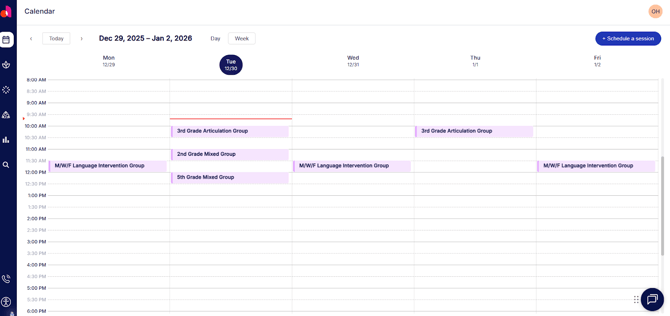
- View your full caseload Monday-Friday
- Schedule individual or group sessions (either one-time or recurring)
- Edit or cancel sessions if a student is absent or if the schedule shifts
- Start sessions directly from your calendar
This is the first release in a broader set of planning tools coming to Amplio — designed to support how you work, reduce daily stress, and protect instructional time.
How to Use Calendar-Based Session Planning
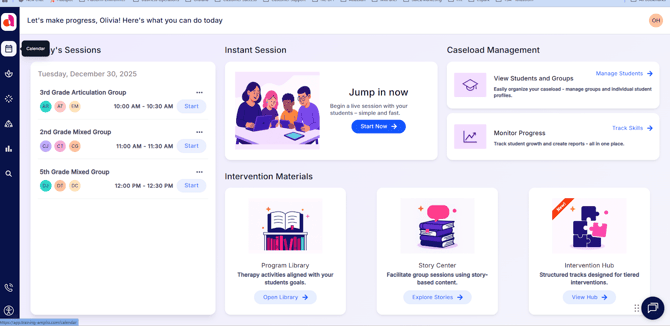
1. From your home page, open the Calendar tab.
2. Click a time slot to schedule a session.
3. Name Your Session & Select Students or Groups.
4. (Optional) Set up a repeat pattern.
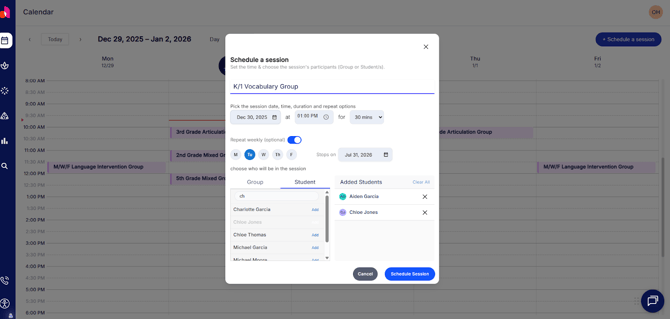
5. Click Schedule Session – and you’re done!
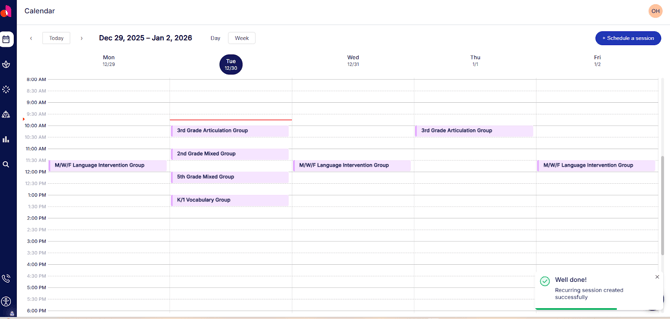
Your session will now appear in both your calendar and home page.
How to Reschedule or Cancel Sessions
You may easily cancel or reschedule sessions to accommodate student absences or schedule shifts.
- From the Calendar tab, click the session you need to reschedule or cancel.
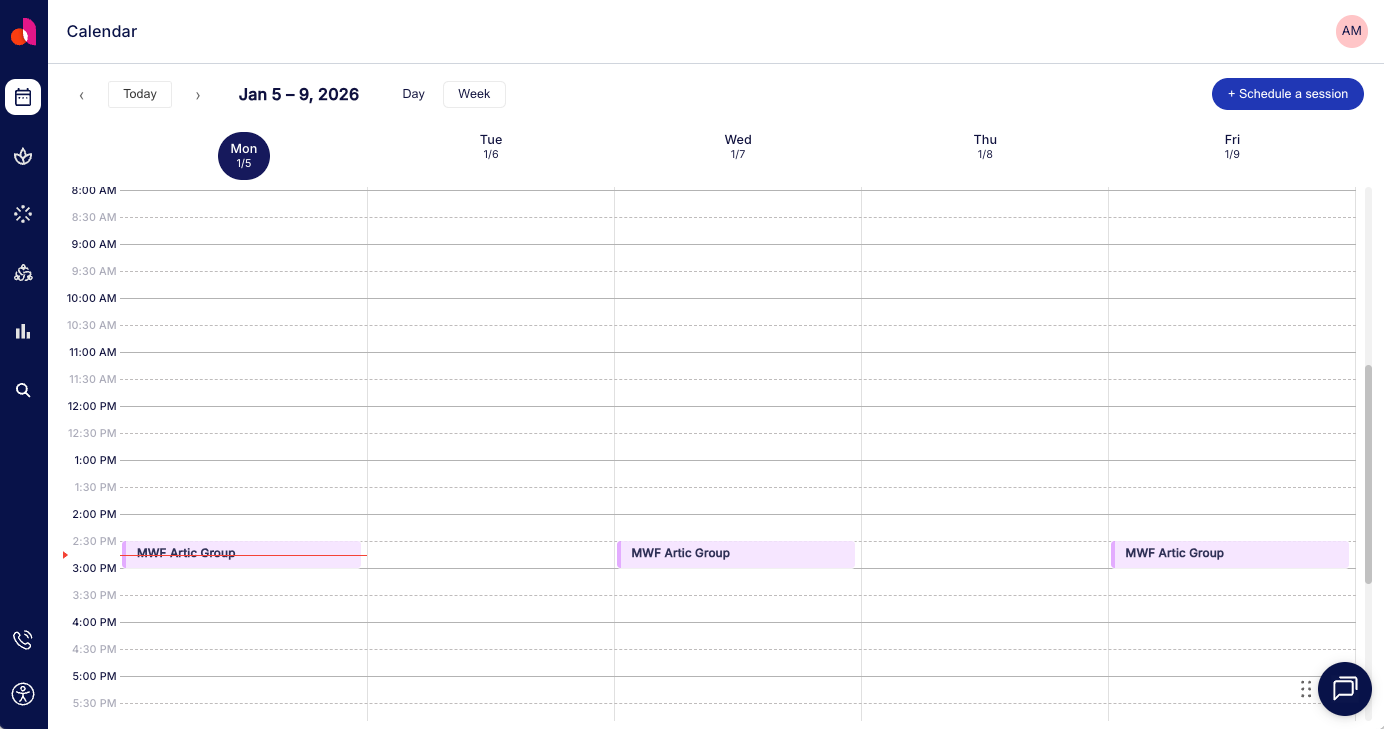
2. In the window that appears, select Edit or Delete.
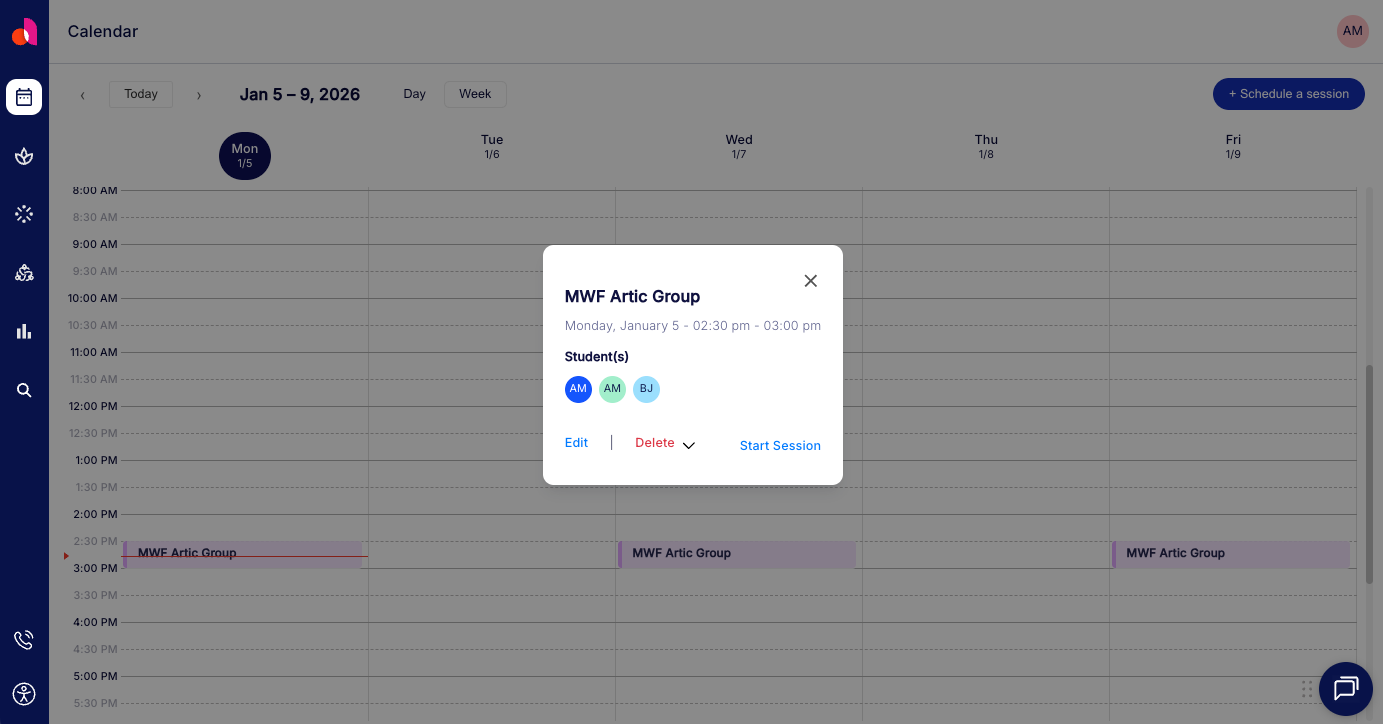
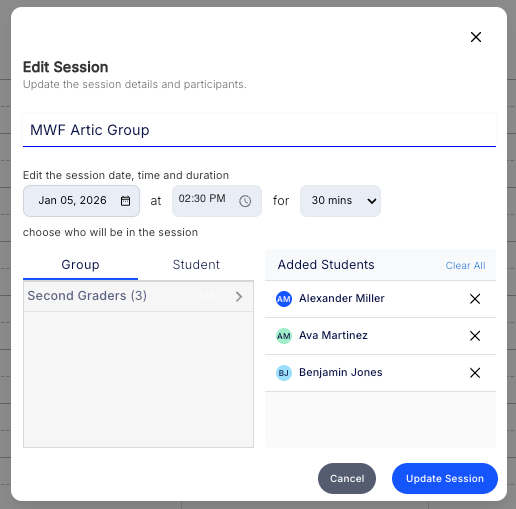
3. Editing the session allows you to change the day, time, duration, or participants. To reschedule, simply adjust the date, time, or duration as needed. To remove a student, click the X next to the student’s name.
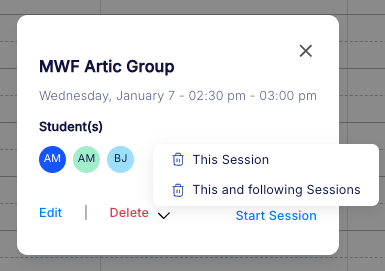
4. When removing a session, choose whether to delete a single session (This Session) or the recurring event (This and Following Sessions).
Frequently Asked Questions
Can I still run sessions on demand?
Yes! Calendar-based planning is optional — it’s a flexible tool, not a requirement.
Do I need to recreate my sessions every week?
Nope. You can set sessions to repeat across weeks — making it easy to reuse your plan.
What happens if a student is absent?
You can cancel or reschedule any session with just a few clicks.